
Comprehensive Guide to Selecting High-Performance Laptops Tailored to Your Needs
Discover how to choose the perfect high-performance laptop tailored to your professional needs. This comprehensive guide covers key factors such as operating systems, hardware specifications, display options, and ergonomic features, helping you find a device that boosts productivity and efficiency. Whether for design, editing, or multitasking, learn the crucial aspects to consider before making your purchase for optimal performance and longevity.
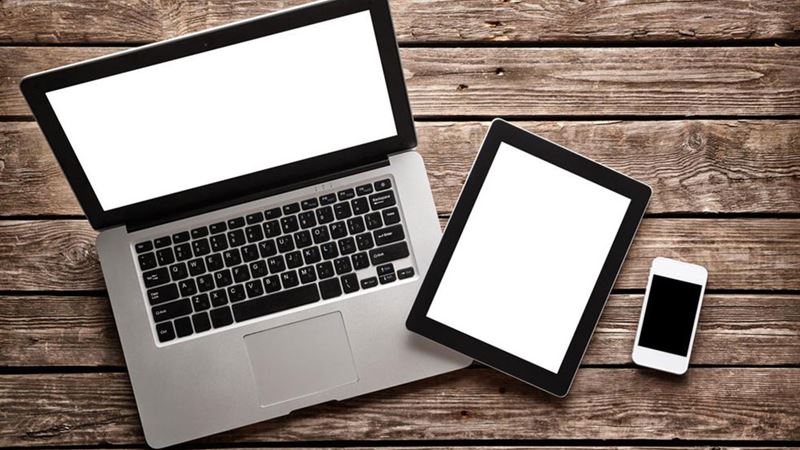
In today's fast-paced digital era, choosing the right laptop can significantly impact your productivity and workflow. Different professionals have distinct requirements when it comes to laptops. For instance, architects need powerful machines with advanced design software capabilities, photographers require high-resolution displays and substantial storage to safeguard their creative work, while accountants look for robust RAM and multitasking capabilities to handle complex financial programs. Although handheld tablets have gained popularity, many tasks—such as drafting lengthy research papers, editing high-resolution images for advertising, or enjoying widescreen videos—are more efficiently accomplished on a traditional laptop. Therefore, selecting a high-performance laptop that aligns with your specific needs can enhance your efficiency and user experience.
Understanding how to choose the most suitable high-performance laptop involves exploring key technical features and considering your usage pattern. This guide will walk you through essential factors to consider, helping you make an informed decision that maximizes your investment.
- Operating System Compatibility and User Experience: The foundation of your laptop's usability hinges on its operating system. The most prevalent options are Windows, macOS, and Chrome OS, each offering unique features and ecosystems. Windows OS provides flexibility, extensive software compatibility, and customizable features, making it a popular choice among professionals. macOS is renowned for its stability, sleek interface, and seamless integration with other Apple devices, ideal for creative professionals. Chrome OS offers simplicity and fast performance suitable for cloud-based tasks. Assess your familiarity with these operating systems and their compatibility with essential applications to determine the optimal choice.
- Form Factor and Flexibility: Modern laptops come in various designs. Traditional clamshell models are standard, but convertible laptops or 2-in-1 devices offer added versatility. These can rotate 360 degrees or fold into tablets, providing multiple modes—laptop, tent, stand, or tablet—depending on your needs. This flexibility is advantageous for presentations, browsing, or creative work where touchscreen capabilities can enhance efficiency.
- Display Size and Resolution: The size and resolution of the display significantly affect your experience. Larger screens, typically 15-17 inches, are preferable for detailed visual work, media editing, or multitasking. Higher resolutions, such as 4K, provide sharper images, better color accuracy, and greater detail, especially important for designers and photographers. On the other hand, smaller screens (13-14 inches) contribute to portability, making them suitable for travelers and those working on the go.
- Keyboard and Touchpad Ergonomics: Comfort during long work sessions is essential. A well-designed, soft keyboard with sufficient key travel enhances typing accuracy and reduces fatigue. Similarly, a responsive and accurately calibrated touchpad improves navigation. These features may seem minor but significantly impact daily usage, especially for professionals who type extensively.
- Core Hardware Specifications: The backbone of a high-performance laptop lies in its technical components:
- Processor: Acts as the brain of the machine, determining overall speed and responsiveness. For intensive tasks like 3D rendering, video editing, or software development, a high-end processor from Intel's i7 or i9 series or AMD's Ryzen 7 or Ryzen 9 is recommended.
- RAM: Facilitates smooth multitasking. A minimum of 16GB RAM is advisable for demanding applications, while 32GB or more may be necessary for heavy-duty tasks like large dataset analysis or professional editing.
- Storage Drive: Influences data access speed and capacity. Solid State Drives (SSDs) offer faster read/write speeds compared to traditional HDDs, significantly improving boot times and application loading. Storage capacity should align with your data storage needs—512GB, 1TB, or higher for professionals working with large files.
- Graphics Card: Essential for tasks like 3D modeling, video editing, and gaming. Dedicated GPUs from NVIDIA or AMD ensure high-quality visuals and processing power, whereas integrated graphics suit less demanding work.
- Display Technology and Pixels: High-quality display panels, such as IPS or OLED, provide superior color accuracy and viewing angles. High pixel density (1080p minimum, 4K preferred for professionals) ensures sharp images and videos, crucial for creative fields.
- Additional Features: Consider other hardware elements like optical drives, ports, and connectivity options—USB-C, Thunderbolt, HDMI, Wi-Fi 6—for comprehensive functionality and future-proofing.
By carefully evaluating these aspects, you can select a high-performance laptop tailored specifically to your professional and personal requirements. Investing time in research ensures that your chosen device enhances productivity, enables smooth workflows, and provides excellent user experience.
In conclusion, high-performance laptops are vital tools across various industries, whether you're involved in design, media production, finance, or software development. Understanding the technical intricacies and matching them with your needs ensures you get the best value and performance from your device. Make informed decisions based on your workflow, preferred features, and future scalability to maximize your investment in digital tools.