
Comprehensive Guide to Selecting the Perfect Television and Home Video Equipment
Discover essential tips for choosing the right TV and home entertainment setup, including screen size, display technology, resolution, connectivity, audio, and smart features. Make informed decisions to optimize your viewing experience with expert advice tailored for different needs and budgets.
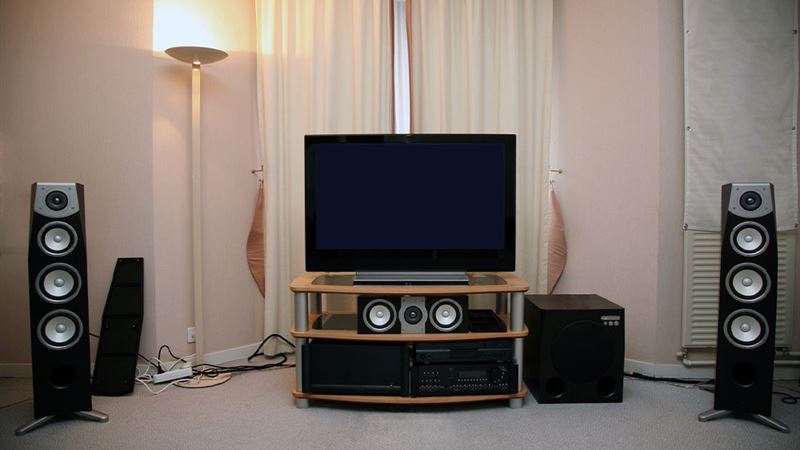
Understanding the Ideal Screen Size for Your Space
When shopping for a new TV, one of the most common misconceptions is that bigger screens are automatically better. However, an oversized display in a small room can cause discomfort, including eye strain and headaches, while a small screen in a large room may feel inadequate. To determine the best size, measure the distance from your seating area—be it a sofa, recliner, or bed—to the intended TV location. Experts recommend that the viewing distance be approximately 1.5 to 2.5 times the diagonal size of the TV. For example, if you prefer a 50-inch TV, a viewing distance of around 6 to 7 feet is ideal. This ensures an immersive experience without overwhelming your vision, providing clarity and comfort during extended viewing sessions.Choosing the Appropriate Refresh Rate
The refresh rate of a television, measured in Hertz (Hz), is critical for smooth motion during fast-paced scenes. A higher refresh rate, such as 60Hz or 120Hz, reduces motion blur and judder, delivering sharper images during action movies and sports. For gamers or cinephiles, a 120Hz refresh rate can significantly enhance visual fluidity, providing a more realistic viewing experience. When selecting a TV, prioritize models with at least 60Hz refresh rates, especially if you plan to watch sports, fast-moving movies, or play video games. Higher refresh rates also minimize eye fatigue and make your overall viewing more enjoyable.High Dynamic Range (HDR) for Superior Image Quality
HDR technology revolutionizes picture quality by enabling displays to produce a wider range of brightness levels, resulting in richer contrasts and more vibrant colors. While entry-level HDR support (such as HDR10) is found in many affordable models, premium formats like HDR10+ and Dolby Vision offer enhanced dynamic tone mapping, providing more detailed shadows and highlights. When selecting a TV, opt for models supporting these advanced HDR standards if your budget allows. This feature is especially beneficial for cinematic viewing, gaming, and streaming content, delivering a more immersive experience with lifelike visuals.Opting for Ultra High Definition (UHD) and 8K Displays
The evolution of resolution technology has led to the advent of 4K Ultra HD TVs, which provide four times the pixel count of traditional Full HD screens. This results in sharper images, improved details, and more accurate colors, even at larger screen sizes. The next leap forward comes with 8K Ultra HD TVs, boasting a staggering 33 million pixels for unparalleled clarity. Although these models are currently expensive, they offer professional-grade picture quality suitable for home theaters and enthusiasts who demand the best. When combined with compatible sources and audio-visual equipment, UHD and 8K displays can deliver a cinematic experience right in your living room.Display Technology: OLED, QLED, and LED
Display technologies significantly impact picture quality, viewing angles, and contrast ratios. OLED (Organic Light Emitting Diode) TVs use individual organic pixels that emit their own light, allowing for perfect black levels, vivid colors, and wide viewing angles. They are considered the gold standard for picture quality, ideal for movie buffs and photographers. QLED (Quantum Dot LED) models, mainly produced by Samsung, offer vibrant colors and high brightness at a more affordable price point, making them a popular middle-ground option. Traditional LED TVs employ backlighting and are generally less expensive but may lack the contrast and color depth of OLEDs or QLEDs. When selecting a display, consider your environment and content preferences to choose the technology that best matches your needs.Connectivity Features: HDMI, USB, and Audio Options
Adequate connectivity options are essential for seamless integration with other devices. Modern TVs come equipped with multiple HDMI ports—aim for at least four—to connect gaming consoles, Blu-ray players, streaming devices, and sound systems. HDMI 2.1 standard offers enhanced bandwidth, supporting higher frame rates and resolutions suitable for next-gen gaming. USB ports enable you to connect external drives for media playback, while Bluetooth connectivity allows wireless pairing with headphones, speakers, and peripherals. Additionally, a 3.5mm audio jack is useful for connecting analog sound devices. The presence of an HDMI ARC (Audio Return Channel) port simplifies audio setup, allowing your TV to send sound directly to external speakers or soundbars. A higher number of ports provides flexibility, ensuring you won't need to disconnect devices frequently.Enhancing Audio: The Importance of Soundbars
While picture quality often takes center stage, audio is equally vital for an immersive entertainment experience. Many modern flat-screen TVs deliver subpar sound due to the limited space for built-in speakers. Instead of relying solely on the TV’s internal speakers, investing in a dedicated soundbar can dramatically improve audio quality. Soundbars come in various wattage ratings, but wattage alone isn't a reliable indicator of sound quality. Look for models offering good frequency response, multiple channels, and advanced features like Dolby Atmos support. A well-chosen soundbar can add depth, clarity, and spatial effects, transforming your home theater setup into a genuine cinematic environment.Smart Features for a Modern Viewing Experience
Smart TVs have become the standard, combining traditional TV functions with internet connectivity and app support. Features like voice control integration with Google Assistant, Amazon Alexa, or Apple Siri enable hands-free operation, making navigation and search effortless. Many smart TVs come with built-in microphones and remote controls featuring voice commands. Streaming apps such as Netflix, Hulu, Amazon Prime, and Disney+ are usually pre-installed or readily accessible, giving you access to a vast library of content. Some models also support screen mirroring, allowing you to replicate your smartphone or tablet screen onto the big screen effortlessly. These features provide convenience and customization, elevating your overall entertainment experience.Additional Equipment: Streaming Devices and Media Players
If the smart features of your TV are limited or if you’re on a tighter budget, adding a streaming media player can broaden your entertainment options. Devices like Roku, Amazon Fire TV, Google Chromecast, and Apple TV come in various price ranges and functionalities. They plug into HDMI ports and provide access to countless streaming services, live TV, and on-demand content. These media players also support voice commands, app downloads, and updates, ensuring compatibility with the latest content platforms. Investing in a good streaming device allows you to customize your viewing experience without replacing your entire TV.Warranty and Purchase Tips
Many consumers consider extended warranties a safeguard against future repair costs. However, most defects occur within the first 30 days, and standard manufacturer warranties typically cover the first year. Extended warranties are often unnecessary, as they may not cover all repairs and can be costly. Instead, verify if your credit card or retailer offers additional coverage or protection plans. To maximize savings, watch for seasonal sales, bundle offers, and negotiated discounts at reputable electronics stores. Keeping an eye out for promotional deals on holiday sales or major shopping events can save you hundreds of dollars, ensuring you get the best value without sacrificing essential features.