
Expert Tips to Extend the Lifespan of Your Television
Learn comprehensive strategies to extend your TV's lifespan, including maintenance tips, cable management, protective devices, and optimal placement. Proper care ensures your TV stays in perfect condition for years, providing clear visuals and sound while preventing costly repairs. Discover how gentle cleaning routines, organized wiring, surge protection, and sturdy stands can make a meaningful difference in preserving your entertainment system's longevity. This detailed guide offers practical advice suitable for all types of modern TVs, helping you safeguard your investment and enjoy the best viewing experience for many more years to come.
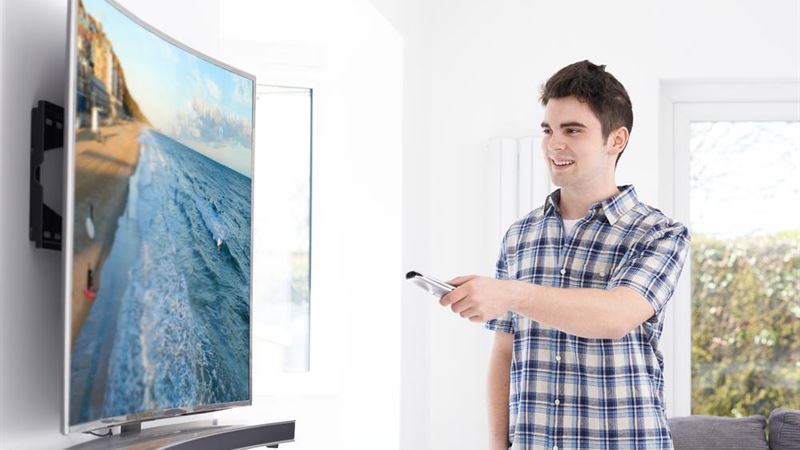
Maintaining your television properly is essential to ensure its longevity and optimal performance over the years. Unlike simple cleaning routines, adopting smart practices can significantly prevent damage and malfunction, keeping your TV in top condition longer. This guide provides comprehensive advice on caring for your TV, from cleaning methods to proper cable management, and selecting the right accessories and protective devices. Implementing these tips will not only prolong your TV's functional life but also safeguard your investment, ensuring clear images and sound for many years.
Gentle Cleaning Techniques for Your TV Screen
When it comes to cleaning your TV, choosing the right method is crucial. Many people tend to use harsh materials like paper towels or toilet paper, which can scratch the delicate screen surface. Instead, opt for a soft, microfiber cloth slightly dampened with a mild soap and water solution. Never spray liquid directly onto the screen; always apply it to the cloth first. Gently wipe in a circular motion to remove dust, smudges, and grease. Avoid using alcohol or ammonia-based cleaners unless specifically recommended by the manufacturer. Proper screen maintenance prevents pixel damage, preserves image clarity, and extends the lifespan of your display.
When it comes to cleaning your TV, choosing the right method is crucial. Many people tend to use harsh materials like paper towels or toilet paper, which can scratch the delicate screen surface. Instead, opt for a soft, microfiber cloth slightly dampened with a mild soap and water solution. Never spray liquid directly onto the screen; always apply it to the cloth first. Gently wipe in a circular motion to remove dust, smudges, and grease. Avoid using alcohol or ammonia-based cleaners unless specifically recommended by the manufacturer. Proper screen maintenance prevents pixel damage, preserves image clarity, and extends the lifespan of your display.
Effective Cable Management for Safety and Aesthetics
Proper handling and concealment of cables are vital in preventing damage and clutter. High electrical currents passing through unorganized wires can lead to overheating, short circuits, and signal degradation. Always switch off the power before handling cables. Use cable ties or Velcro straps to bundle wires neatly; avoid tight wrapping that could damage the internal conductors. For a sleek appearance, hide cables behind wall-mounted panels or furniture designed for cable concealment. Separating power cords from other data cables prevents electrical interference, which can cause audio and video disruptions. Well-managed cables not only look better but also extend the life of your devices.
Proper handling and concealment of cables are vital in preventing damage and clutter. High electrical currents passing through unorganized wires can lead to overheating, short circuits, and signal degradation. Always switch off the power before handling cables. Use cable ties or Velcro straps to bundle wires neatly; avoid tight wrapping that could damage the internal conductors. For a sleek appearance, hide cables behind wall-mounted panels or furniture designed for cable concealment. Separating power cords from other data cables prevents electrical interference, which can cause audio and video disruptions. Well-managed cables not only look better but also extend the life of your devices.
Protective Devices to Shield Your TV from Power Fluctuations
Modern televisions are sensitive to voltage variations, making a surge protector or stabilizer a necessary investment. Voltage fluctuations can lead to costly repairs or replacement, as power surges frequently damage internal components such as capacitors and circuit boards. High-quality surge protectors with multiple outlets can safeguard your entire entertainment setup. For enhanced protection, installing a stabilizer or voltage regulator ensures consistent power supply, especially during peak usage or electrical storms. Although stabilizers are an upfront investment, they provide peace of mind and prolong your TV’s lifespan. As a cost-effective alternative, choose reliable surge protectors rated for high loads to prevent damage during electrical anomalies.
Modern televisions are sensitive to voltage variations, making a surge protector or stabilizer a necessary investment. Voltage fluctuations can lead to costly repairs or replacement, as power surges frequently damage internal components such as capacitors and circuit boards. High-quality surge protectors with multiple outlets can safeguard your entire entertainment setup. For enhanced protection, installing a stabilizer or voltage regulator ensures consistent power supply, especially during peak usage or electrical storms. Although stabilizers are an upfront investment, they provide peace of mind and prolong your TV’s lifespan. As a cost-effective alternative, choose reliable surge protectors rated for high loads to prevent damage during electrical anomalies.
Choosing the Ideal Placement and Support for Your TV
Placing your TV on a stable, dedicated stand is key to maintaining its performance and safety. Resting your TV on a table or makeshift surface exposes it to accidental knocks, dust, and inadequate ventilation, which can cause overheating and physical damage. Invest in a sturdy, purpose-built TV stand with adequate ventilation slots to prevent heat build-up. Look for stands with integrated cable management systems to keep wires organized and prevent accidental disconnection or tripping hazards. Shelves designed to accommodate peripherals such as speakers, media players, and remote controls help keep your entertainment area tidy. If you prefer customized furniture, consider hiring a local carpenter or designer to craft a stand that complements your decor while offering optimal support and airflow. Proper placement and support can enhance your viewing experience and significantly extend your TV’s operational life.
Placing your TV on a stable, dedicated stand is key to maintaining its performance and safety. Resting your TV on a table or makeshift surface exposes it to accidental knocks, dust, and inadequate ventilation, which can cause overheating and physical damage. Invest in a sturdy, purpose-built TV stand with adequate ventilation slots to prevent heat build-up. Look for stands with integrated cable management systems to keep wires organized and prevent accidental disconnection or tripping hazards. Shelves designed to accommodate peripherals such as speakers, media players, and remote controls help keep your entertainment area tidy. If you prefer customized furniture, consider hiring a local carpenter or designer to craft a stand that complements your decor while offering optimal support and airflow. Proper placement and support can enhance your viewing experience and significantly extend your TV’s operational life.