
Comprehensive Guide to Upgrading Your TV for Internet Streaming Success
Discover how to turn your regular TV into an internet streaming powerhouse with our detailed guide. Learn about various devices like Blu-Ray players, gaming consoles, streaming sticks, and methods to enhance your home entertainment. We cover essential specifications, compatibility tips, and setup advice to help you enjoy movies, shows, and online content seamlessly on your big screen. Whether upgrading a current TV or buying a new smart TV, this comprehensive article offers everything you need to embrace internet-connected entertainment effortlessly and cost-effectively.
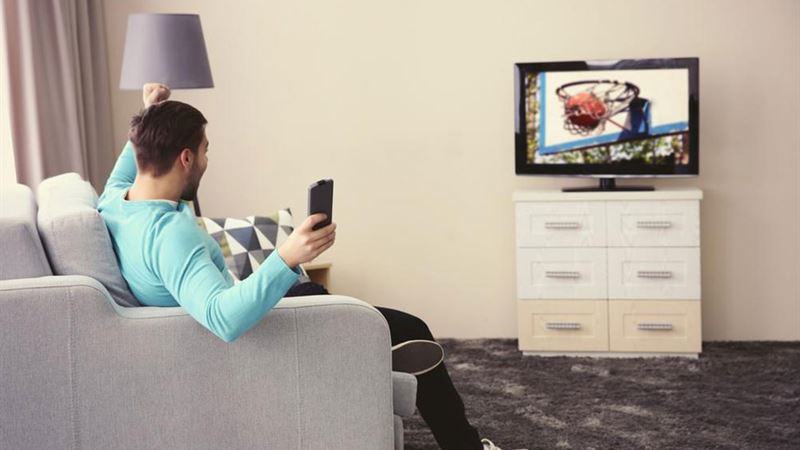
Enhancing Your Viewing Experience with Internet-Enabled Devices In the modern era of digital entertainment, transforming your traditional television into an internet-capable device opens up a world of limitless content. Whether you own a standard TV or are considering a new purchase, there are multiple ways to integrate internet streaming to enjoy movies, TV shows, music, and more on the big screen. This comprehensive guide explores the various options, essential specifications, and tips to successfully add internet functionality to your home entertainment setup.
Utilizing Internet-Enabled Blu-Ray Players One of the most straightforward methods to access online content is through a Blu-Ray player with internet capabilities. These devices are designed to connect seamlessly to your home network, allowing you to stream services like Netflix, Hulu, Amazon Prime, and YouTube directly on your TV. Modern Blu-Ray players also support apps, web browsing, and system updates, making them versatile additions to your entertainment system. When choosing a Blu-Ray player, consider models with built-in Wi-Fi and user-friendly interfaces to simplify streaming experiences.
Gaming Consoles as Media Hubs Modern gaming consoles have evolved beyond gaming, transforming into comprehensive media centers. Consoles like the PlayStation 4, Xbox One, and newer models support streaming apps and offer web browsing features. For instance, PlayStation 4 comes equipped with a full web browser, enabling users to visit their favorite websites, watch online content, and interact with streaming platforms. These devices also support game downloads, live streaming, and multimedia playback, making them a cost-effective solution for turning your regular TV into an internet-ready device.
Standalone Streaming Devices for Versatile Connectivity Dedicated streaming devices have gained popularity due to their simplicity and extensive app selections. Popular options include Roku, Amazon Fire TV, Google Chromecast, and Apple TV. These compact devices connect via HDMI and offer access to numerous streaming services, live TV options, photo viewing, and music playback. Most modern streaming devices support Wi-Fi connectivity and provide intuitive remote controls or smartphone apps for easy navigation. They are compatible with both new and older TVs, enabling users to upgrade without replacing their existing set.
Using a Laptop to Transform Your TV into a Smart Entertainment Hub Connecting your laptop to your TV offers a flexible and customizable way to access internet content. By linking your laptop to the television via HDMI or other compatible cables, you can stream videos, browse websites, and even mirror your device’s screen. This method is especially useful for those who want to watch content from specific platforms or conduct activities that are not supported by standalone streaming devices. Additionally, modern laptops support wireless screen sharing options like Miracast or AirPlay, further enhancing convenience.
Important Specifications for Successful Internet Streaming Before proceeding with device upgrades or connections, understanding the necessary specifications is crucial. A high-definition (HD) or 4K resolution is advisable for the best viewing experience. Your TV or streaming device should support HD or 4K content for clarity and detail. Moreover, a high-speed internet connection (preferably 25 Mbps or higher) is essential to prevent buffering and ensure smooth playback. Wi-Fi connectivity is a common feature, but wired Ethernet connections can offer more stable performance. When purchasing a new TV, opt for models with built-in Wi-Fi and support for the latest standards like 802.11ac or 802.11ax for optimal connectivity.
Choosing the Right TV and Equipment for Your Needs While newer smart TVs come with pre-installed internet capabilities, those on a budget can consider converting their standard TVs using external devices like streaming sticks, boxes, or even gaming consoles. If investing in a brand-new TV is an option, favor models specifically labeled as smart TVs with integrated apps, built-in Wi-Fi, and support for multiple streaming platforms. For those with existing equipment, verify compatibility and specifications to ensure seamless integration.
Final Tips for a Seamless Streaming Setup 1. Ensure your internet connection is fast and stable. 2. Choose compatible devices and check their specifications before purchase. 3. Use a wired Ethernet connection if possible for better stability. 4. Regularly update device firmware and software to access new features and security improvements. 5. Explore different streaming applications and optimize your home network for multiple devices. 6. Consider parental controls and account setups for family-friendly use.
By following these guidelines, you can enjoy a fully connected and immersive entertainment experience right from your comfort zone. Whether you're upgrading to a new smart TV or adding external streaming devices, turning your standard TV into an internet-powered entertainment hub unlocks countless opportunities for digital leisure. Embrace these innovations to enhance your viewing pleasure and stay connected with the latest in digital entertainment technology.