
Mastering Content Planning: How to Leverage Calendars for Effective Content Management
Discover how to optimize your content strategy using detailed calendar templates. Learn effective planning techniques, choose the right tools, and ensure consistent posting to engage your audience. This comprehensive guide helps content creators, marketers, and social media managers streamline their workflows, meet deadlines, and enhance overall content quality. With strategic calendar use, you can boost productivity, maintain brand consistency, and achieve marketing goals efficiently across multiple platforms.
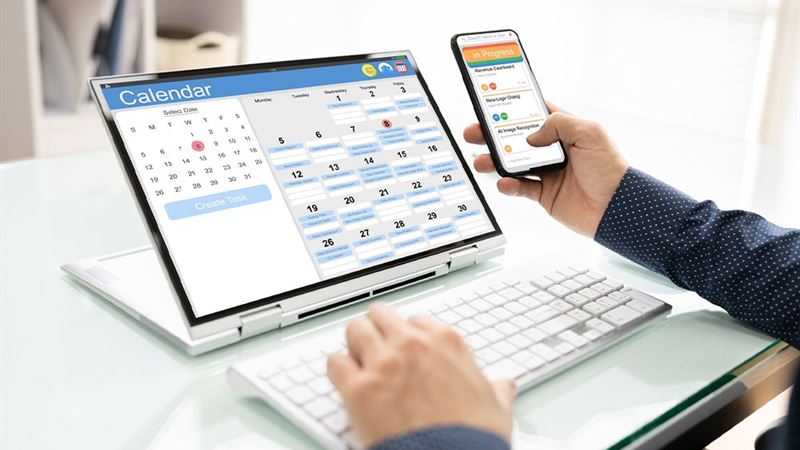
Efficient content management is essential for maintaining a consistent online presence and engaging your audience effectively. One of the most powerful tools for streamlining your content strategy is a well-designed calendar. Using a dedicated calendar enables content creators, marketers, and social media managers to organize, schedule, and monitor their content seamlessly. In this comprehensive guide, we explore various types of calendar templates, their benefits, and best practices to optimize your content planning process. Whether you're a freelancer, a small business owner, or part of a large marketing team, understanding how to utilize calendars can significantly enhance your content delivery and audience engagement.
What is a Content Calendar Template?
A content calendar template is a pre-designed framework that outlines your content schedule in an organized manner. It typically consists of a grid or table format where dates, content topics, platforms, and deadlines are mapped out. These templates can be digital or printable and are available through various software platforms such as Microsoft Word, Excel, Google Sheets, or specialized project management tools. By filling in these templates, content creators can plan their posts, set deadlines, assign tasks, and monitor progress efficiently. Proper use of a content calendar reduces last-minute scrambling, ensures consistency, and helps in aligning content with marketing goals.
Beyond simple sheets, there are numerous advanced options like integrated content management systems that combine calendar features with analytics, collaboration tools, and automation capabilities. These all work together to create a cohesive workflow that simplifies content management from ideation to publication. Having a clear, visual overview of upcoming content helps teams stay on track and adapt quickly to changing circumstances or trending topics.
Why Do Content Creators Need Calendar Templates?
Content creators, whether freelancers, influencers, or part of larger agencies, face the challenge of maintaining a consistent posting schedule across multiple platforms. Regular posting is crucial for building brand recognition, maintaining audience interest, and optimizing engagement algorithms. Calendar templates serve as an invaluable resource for planning, executing, and analyzing content efforts systematically.
They help create a structured overview, enabling creators to avoid overlaps or gaps in their content calendar. Additionally, they assist in managing content deadlines, coordinating team responsibilities, and ensuring that promotional campaigns align with product launches or events. By visualizing their workflow, creators can better forecast resource needs, identify content gaps, and streamline their production process. Moreover, well-organized calendars help prevent burnout by spacing out content appropriately and maintaining a sustainable posting rhythm.
Key Considerations Before Developing Your Content Calendar
To maximize the utility of your calendar, you should start with a strategic approach. Here are some critical factors to consider before creating your content schedule:
- Frequency of Posting: Determine how often you want to publish content on each platform. Whether it's daily, weekly, or bi-weekly, consistency is key. Monitor your audience engagement and adjust your posting frequency accordingly to optimize reach and interaction.
- Content Variety: Identify the types of content you produce regularly, such as blogs, videos, infographics, or social media posts. Structuring different content types ensures a diverse and engaging feed that appeals to various audience segments.
- Team Size and Collaboration: If working with a team, note the number of members involved and their roles. A shared calendar allows everyone to access, edit, and track progress, promoting collaboration and accountability. Assigning specific responsibilities helps in avoiding duplication of efforts and ensures timely delivery.
- Platform Specifics and Audience Preferences: Different platforms have unique content requirements and audience behaviors. Tailor your calendar to accommodate these differences for maximum effectiveness.
- Goals and Metrics: Define clear objectives—whether increasing followers, boosting engagement, or driving conversions. Incorporate analytics tracking within your calendar to measure performance and adjust your strategy accordingly.
Choosing the Right Calendar Tool for Content Planning
Selecting an appropriate calendar tool is vital for effective content management. Here are some popular options and their unique features:
- Content Management Apps: Several dedicated apps like CoSchedule, Trello, or Asana offer built-in calendar features tailored for content planning. They combine scheduling with task management and collaboration, making them ideal for teams.
- Digital Calendars: Traditional tools like Google Calendar, Microsoft Outlook, and Calendar.com provide year-specific templates with reminders, sharing capabilities, and integration with other productivity tools. These are easy to access and use across devices.
- Spreadsheets: Tools like Google Sheets and Microsoft Excel serve as flexible, customizable calendars. They are suitable for detailed planning, tracking progress, and generating reports.
- Project Management Platforms: Platforms like ClickUp or Monday.com blend calendar features with advanced project tracking, automation, and analytics, offering comprehensive solutions for large teams or complex campaigns.
- Specialized Content Calendar Tools: Platforms like ContentCal or Loomly focus specifically on content scheduling, ideation, and collaboration, facilitating seamless workflow management.
While choosing a platform, consider your team size, budget, automation needs, and integration with other tools. A well-chosen tool enhances productivity, improves communication, and ensures your content strategy stays on track.
To maximize the efficacy of your content calendar, align it with your overall marketing and content goals. Regularly review and update schedules based on analytics insights, audience feedback, and emerging trends. Keeping your calendar flexible and adaptable is essential to respond promptly to market changes or viral opportunities. Proper organization, strategic planning, and effective use of calendar tools collectively empower content creators to deliver quality content consistently, nurture audience relationships, and achieve their marketing objectives.