
Selecting the Perfect Video Conferencing Solution for Your Business Needs
Discover how to choose the ideal video conferencing solution for your organization by considering ease of use, security, collaboration features, scalability, and device compatibility. This comprehensive guide helps you find a platform that enhances remote meetings, boosts productivity, and adapts to your company's needs, ensuring seamless communication and collaboration now and in the future.
**User Experience and Accessibility**
Ease of use is paramount when selecting a video conferencing platform. The system should have an intuitive interface that allows both tech-savvy and less experienced users to join meetings effortlessly. Compatibility across different devices and operating systems—such as Windows, macOS, Android, and iOS—is vital to ensure seamless access. Additionally, evaluate whether users are required to download software or applications beforehand or if they can join via a web browser, which simplifies onboarding and reduces technical barriers.
**Meeting Management Capabilities**
Effective meeting management features can significantly improve productivity. Look for options like the ability to schedule meetings in advance, send automatic reminders, and manage participant permissions efficiently. Features like waiting rooms or participant approval help control who joins the meeting, preventing unexpected disruptions. The capacity to lock meetings once they commence adds an extra layer of security. For larger organizations, scalability is crucial; ensure the system supports the number of participants you typically host without compromising quality.
**Interactive Features and Collaboration Tools**
Interactive capabilities elevate the conferencing experience by fostering collaboration. These include screen sharing, real-time chat, virtual whiteboards, and annotation tools. Look for systems that enable remote control of shared content, allowing participants to contribute more actively. Breakout session features facilitate smaller group discussions within larger meetings, which are particularly valuable for training or brainstorming sessions. Recording options are essential for documenting meetings, creating webinars, or providing content for those unable to attend live.
**Audio and Video Quality**
High-definition video and clear audio are fundamental to effective communication. Choose a platform that adapts to varying bandwidth conditions, minimizing lag and disconnects. Integrated noise suppression and echo cancellation features enhance the clarity of conversations, especially in noisy environments. Support for VoIP (Voice over Internet Protocol) dial-in services allows participants to join via phone, offering convenience and redundancy.
**Security and Privacy Considerations**
Protecting sensitive information during virtual meetings is non-negotiable. Look for systems that include robust security features such as end-to-end encryption, password-protected meetings, and secure login protocols. The ability to set user roles and permissions ensures that only authorized individuals can access or modify content. Regular updates and security patches from the provider demonstrate ongoing commitment to safeguarding your communications.
**Additional Features and Integration**
Advanced systems offer integrations with popular calendar apps, document sharing services, and project management tools, streamlining workflows. Some platforms support third-party app integrations for added functionality. Additional features like live translation, polling, and analytics can further enhance user engagement and help monitor meeting effectiveness.
**Scalability and Cost Effectiveness**
Evaluate whether the system can grow with your organization. Cloud-based solutions often provide flexible subscription plans that can be scaled up or down as needed, offering cost advantages over on-premises setups. Consider the total cost of ownership, including licensing fees, hardware requirements, and ongoing support, to find the most economical yet feature-rich solution.
**Device Compatibility and Hardware Requirements**
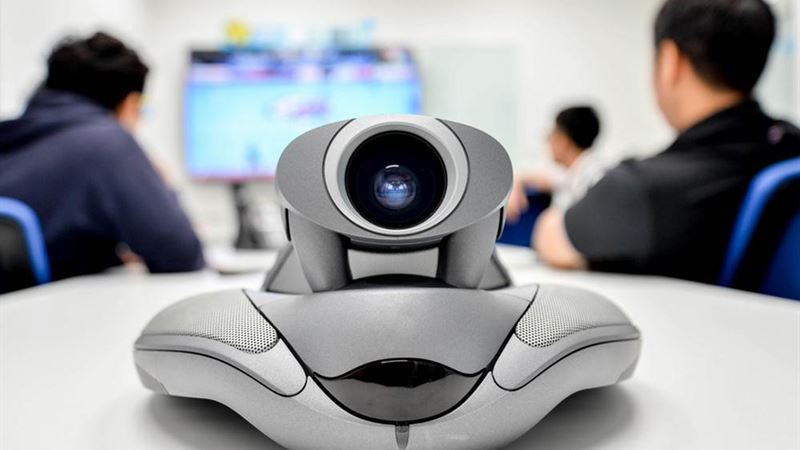
The physical devices used for video conferencing—cameras, microphones, speakers—should be compatible with your chosen platform. Ensure that hardware supports high-quality video and audio transmission and can be easily integrated into your existing conferencing rooms or workspaces. For remote teams, consider recommending quality headsets and webcams to improve the overall experience.