
Essential Considerations Before Selecting the Perfect Antivirus Software
Protect your computer effectively by understanding virus types, malware threats, and choosing the right antivirus software. This comprehensive guide details attack methods, virus classifications, and expert tips on prevention and removal to ensure your device remains secure in an increasingly digital world.
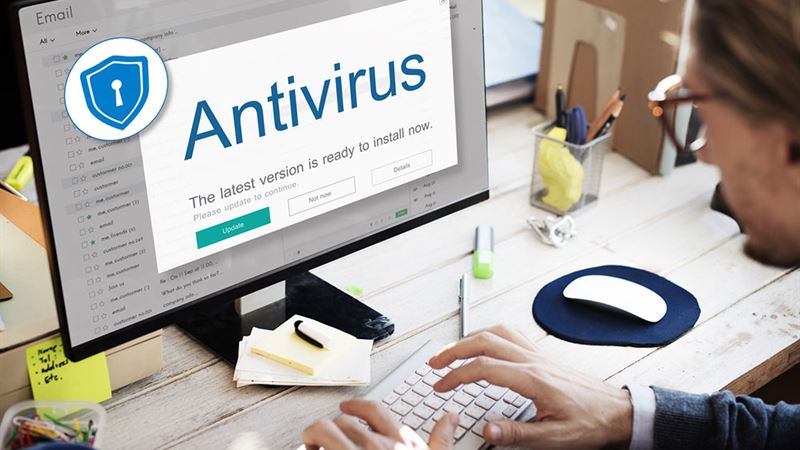
In today's digital world, safeguarding your computer system is more critical than ever. Antivirus software serves as your first line of defense against malicious threats lurking online. Understanding the intricacies of how viruses operate, the types of malware prevalent today, and the features to look for in a robust security program is vital for protecting your valuable data and maintaining system integrity. From recognizing the sources of infections to choosing the right protection, this guide offers comprehensive insights to help you make informed decisions about antivirus solutions.
Malware attacks, including viruses, worms, Trojans, ransomware, and spyware, are continually evolving, making it imperative to stay updated with the latest security tools. Many executable files—like system files, control panels, and application programs such as word processors and spreadsheets—are potential entry points for malware. These malicious software can infiltrate devices via the internet, downloaded files, shared drives, or even through external storage devices. Once inside, they can cause data corruption, system slowdown, unauthorized data access, or even total system failure.
While Apple’s MacOS has traditionally been less targeted by malware due to its architecture and security features, vulnerabilities can still exist. Mac users should consider protective measures, including reliable antivirus software, especially when dealing with downloads, email attachments, or network services. Antivirus programs work by analyzing files, applications, and system behavior, leveraging constantly updated databases of known threats. They scan your device, flag suspicious activities, and sometimes quarantine or delete malicious files before damage occurs.
Different Types of Computer Viruses
Understanding the various classifications of malware can help you identify, prevent, and respond to infections more effectively. Here are some common categories of computer viruses and their distinctive features:
- Macro Virus
- These viruses target data files such as Excel spreadsheets, PowerPoint presentations, and other Office documents. They exploit the macro scripting language embedded within these applications, often spreading through shared files or email attachments. Similar to worms, macro viruses can replicate and propagate across networks, leading to widespread infections.
- Direct Action Virus
- Non-resident in nature, these viruses attach themselves to specific executable files (.exe or .com) and activate upon running the infected program. They tend to remain hidden in memory, affecting only targeted files without slowing down system performance significantly.
- Boot Sector Virus
- This type infects the boot records of disks such as floppy disks, hard drives, or CDs/DVDs. It can spread through media that are bootable, and once active, it loads into memory during startup, potentially causing severe system issues. Declining use of floppy disks has reduced their prevalence today.
- Master Boot Record (MBR) Virus
- Infecting the primary partition of a disk, MBR viruses replace or modify the master boot record, compromising the system’s startup process and allowing persistent infections.
- Spacefiller Virus
- Also called cavity viruses, these infestations fill unused space within files, avoiding actual data corruption but complicating detection efforts due to their stealthy nature.
- File Infector Virus
- This malware infects executable files (.exe or .com), often residing in memory during program execution, thereby affecting other applications and spreading rapidly.
- Multipartite Virus
- Combining features of multiple virus types, multipartite viruses can infect both boot sectors and program files simultaneously, making them particularly challenging to eradicate.
- Resident Viruses
- These viruses embed themselves into the system's RAM, remaining active in memory without requiring the infected file to be executed again. They can infect files and programs continuously until detected and removed.
- Rootkit Viruses
- Installed covertly, rootkits embed deep within the system, often bypassing traditional antivirus solutions. They grant unauthorized access to attackers, modify system functions, or disable security features, leading to serious security breaches.
- System or Boot-Record Infectors
- These viruses infect executable code within disk sectors like the boot record or system files, often spreading via external drives or damaged media. They are less common today due to decreased reliance on physical storage.
Beyond understanding virus types, it’s important to be aware of some surprising facts about malware:
- Viruses remain dormant until activated by user actions such as opening infected files or running malicious applications.
- The infection activates only upon executing the compromised program, making cautious behavior essential.
- Infections can load into system memory, hard drives, or applications, modifying or deleting files.
- Some viruses are programmed to display sounds or messages instead of causing harm.
- Malware infections can lead to system crashes, data loss, or hardware malfunctions.
- Viruses cannot infect hardware components; they only target software systems.
How to Remove a Virus Effectively
Immediate action is crucial if you suspect malware infection. Here's what you should do:
- Install reputable antivirus software and ensure it is regularly updated with the latest threat definitions.
- Run full system scans periodically to detect and eliminate hidden threats.
- Use quarantine options to isolate malicious files and avoid manual deletion that could damage critical system files.
- Follow professional removal guides if dealing with complex infections to prevent re-infection.
Protecting Your System: Tips and Best Practices
While antivirus tools are essential, adopting good security habits significantly reduces infection risks:
- Always keep your software and operating system up to date, as patches fix vulnerabilities exploited by malware.
- Be cautious with email attachments and links, especially from unknown sources—over 45% of infections originate from malicious emails.
- Choose reliable antivirus solutions—free or paid—that suit your needs; ensure they receive regular updates.
- Back up your important data frequently using external drives, cloud services, or dedicated backup solutions.
- Create strong, complex passwords combining letters, numbers, and symbols; avoid default or common passwords like 'password' or '123456'.
Choosing the Right Antivirus Software for Your Needs
Selecting effective protection depends on your specific requirements. Consider the following popular options:
- Norton 360 Deluxe
- A comprehensive package offering up to 50GB of online storage, dark-web monitoring, password manager, unlimited VPN, and parental controls. Ideal for users seeking all-in-one security.
- Kaspersky Total Security
- Known for exceptional malware detection, it provides ransomware protection, file encryption, backup tools, and password management across multiple devices.
- Trend Micro Maximum Security
- Offers solid malware detection with features like parental controls, system optimization, and an encrypted browser, suitable for home users needing extra web security.
- Bitdefender Antivirus Plus
- Light on system resources yet highly effective, it includes a Wi-Fi scanner, secure browser, and protection against ransomware, with options for more advanced packages like Internet Security and Total Security.
Final Thoughts
When choosing antivirus software, one size doesn’t fit all. Assess your device usage, browsing habits, and security needs. Research different products, read reviews, and opt for reputable subscriptions that offer recovery options, malware removal tools, and ongoing updates. Remember, proactive protection and cautious online behavior are key to maintaining a safe digital environment.