
Comprehensive Guide to Selecting the Perfect Video Editing Software
Discover how to select the ideal video editing software by considering system compatibility, hardware needs, multi-camera editing, and creative features. This comprehensive guide helps hobbyists and professionals alike choose software that enhances workflow, creativity, and output quality, ensuring your video projects are polished and professional. Learn what to look for based on your hardware specs, project complexity, and budget, to make an informed decision that supports your filmmaking journey and elevates your content creation process.
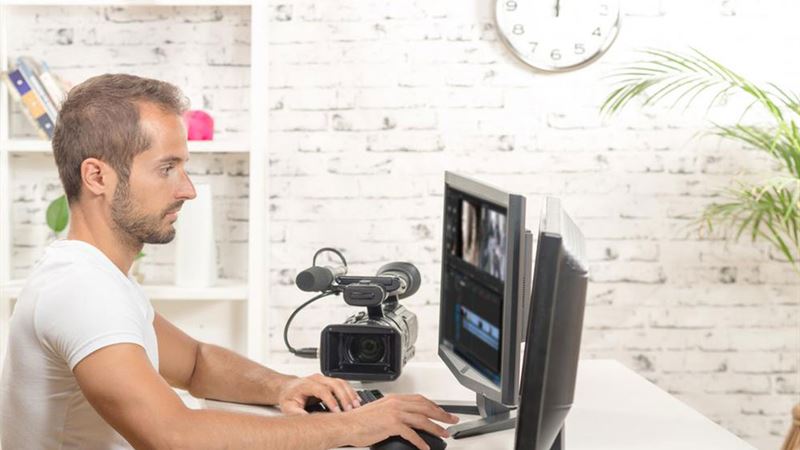
Choosing the right video editing software can significantly influence the quality and efficiency of your video production process. With an array of options available today, selecting software that aligns with your specific needs, hardware capabilities, and creative goals is crucial. From system compatibility to advanced editing features, this guide provides a detailed overview to help you make an informed decision. Whether you're a beginner aspiring to create simple videos or a professional aiming for high-end editing, understanding key factors is essential to choose software that enhances your workflow and output quality.
System Compatibility and Hardware Requirements: One of the first considerations when selecting video editing software is ensuring compatibility with your operating system. Different programs are optimized for Windows, Mac, or Linux platforms. For instance, if you're operating on a Windows system, look for software specifically designed for Windows to avoid compatibility issues. Conversely, Mac users might prefer Final Cut Pro, which is tailored for Mac OS and offers seamless performance. It's imperative to verify not only whether the software runs on your operating system but also whether your hardware can support it effectively.
Understanding the minimum system requirements is vital. Many professional-grade editing programs demand substantial RAM, fast processors, and sufficient storage space. Purchasing high-end software without meeting these specs can lead to sluggish performance, frequent crashes, or inability to run the program altogether. On the other hand, some lightweight editing tools are optimized for lower specs, making them suitable for casual or beginner users with modest hardware. Conduct thorough research on the technical specifications required for each software option to ensure smooth operation.
Furthermore, consider the hardware resources that the software consumes during operation. High-performance editing tools often come with large installation files, complex features, and resource-intensive processes, which can strain your system. If your hardware is dated or not high-spec, opt for software known for efficiency and lower resource consumption to prevent frustration and workflow interruptions.
Multi-Camera Support and Shooting Flexibility: For content creators involved in multi-angle shooting, multi-camera functionality is an invaluable feature. This capability allows you to synchronize footage from multiple cameras simultaneously, creating dynamic and engaging videos. Whether you're filming interviews, live events, or cinematic projects, having the ability to multi-cam edit unlocks creative potential and simplifies post-production.software that offers robust multi-cam editing tools enables seamless switching between angles, synchronization, and advanced features such as multi-camera angle editing within a single timeline. This not only shortens editing time but also opens new avenues for storytelling and visual effects. If your projects involve multi-angle shoots, prioritize editing software equipped with this feature for an enhanced editing experience.
Key Additional Features to Consider: As you narrow down options, look for extra functionalities that can elevate your editing projects. Import and export format support is essential—ensure the software can handle the video, audio, and image formats you commonly use. High-quality rendering options are indispensable for professional outputs, especially when delivering content in various formats like 4K, HDR, or streaming-ready files.Creative elements such as transitions, animations, and titling options add polish to your videos. Many modern editing suites offer the ability to craft custom animations, including 3D titles with rotation and other effects, which are particularly useful for intros, trailers, or promotional clips. A versatile suite will also facilitate the integration of multiple audio and video tracks, allowing you to layer sounds, voice-overs, and multiple video clips with ease.
Efficient timeline editing is the backbone of any good video editor. Features such as copy, paste, trimming, splitting, and seamless rendering contribute to a smooth workflow. Ensure the software provides an intuitive interface that aligns with your proficiency level, whether you're a beginner or seasoned professional.
Budget considerations also play a vital role. There are free options with impressive features suitable for hobbyists, alongside premium packages that cater to professional editors requiring advanced tools. Balance your needs with your financial investment to find software that offers the best value for your specific project requirements.
In summary, selecting the right video editing software involves evaluating system compatibility, hardware resources, creative features, and budget constraints. By paying careful attention to these factors, you can choose a program that not only meets your current needs but also scales with your evolving skills and ambitions in video creation.