
Comprehensive Guide to Optimal TV Resolutions and Viewing Experience
Discover everything you need to know about TV resolutions, from native resolution and aspect ratios to scanning methods and scaling. This guide helps you choose the best TV setup for optimal picture quality, considering screen size and viewing distance. Enhance your home entertainment with expert insights into modern display technology, ensuring a crisp, clear, and immersive viewing experience tailored to your needs.
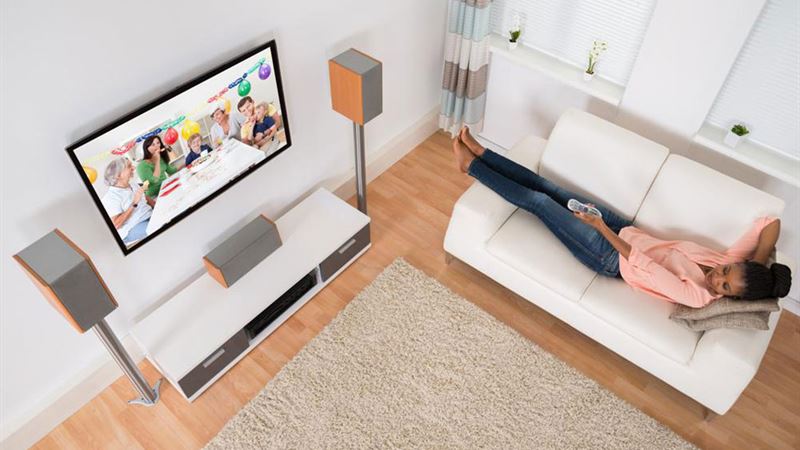
In the rapidly evolving world of home entertainment, understanding the various aspects of TV display technology is crucial for making informed purchasing decisions. A key factor in selecting the perfect television is the resolution—the clarity and detail of the picture. With advancements in display technology, consumers are faced with a multitude of options, from standard HD to ultra-high-definition 4K and even 8K displays. This comprehensive guide delves into the fundamentals of TV resolution, covering essential concepts such as native resolution, aspect ratios, scanning methods, scaling, and how these elements influence your viewing experience. Additionally, we will explore practical considerations like screen size and viewing distance to help you find the ideal TV setup for your home.
Understanding Native Resolution
- What Is Native Resolution? Native resolution refers to the fixed number of pixels that a display can physically accommodate. It defines the clarity and sharpness of the picture shown on your screen. For instance, a 4K display boasts a resolution of 3840 x 2160 pixels, providing a high level of detail suitable for large screens and high-quality content. When a video signal matches the native resolution, the image appears crisp and clear. If the source material has a lower resolution, the display upscales the content to fit its native resolution, which can sometimes lead to image softening or loss of detail.
- Impact of Resolution on Viewing Quality Higher resolutions translate to more pixels, which means finer image detail and better overall picture quality. For example, 4K televisions offer four times the pixel count of 1080p HD screens, resulting in sharper images, especially on larger screens. As technology advances, 8K TVs emerge, pushing the boundaries of visual clarity even further. However, it's essential to consider content availability and whether your sources support higher resolutions to maximize your viewing experience.
Aspect Ratios and Their Significance
- Defining Aspect Ratios Aspect ratio refers to the proportional relationship between a TV’s width and height, typically expressed as a ratio such as 4:3 or 16:9. This ratio influences how content is displayed and affects the viewing experience. Historically, older television broadcasts used a 4:3 aspect ratio, which is more square-shaped. Modern widescreen TVs predominantly use 16:9, offering a wider field of view suitable for movies, sports, and gaming.
- Common Aspect Ratios The 4:3 aspect ratio is now largely obsolete for new content, but it's important historically. 16:9 has become the industry standard, optimizing the display for HD, 4K, and UHD content. Some ultra-wide screens and cinematic formats utilize different aspect ratios, such as 21:9, providing a broader viewing experience for movies and professional applications.
Scanning Technologies: Interlaced vs. Progressive
- Understanding Scanning Methods Scanning methods determine how images are refreshed on your TV screen. The two primary types are interlaced (I) and progressive (P) scanning. Interlaced scanning updates alternating lines of the image in each refresh cycle, which was common in older CRT TVs. Progressive scanning updates every line sequentially, offering smoother motion and sharper images, especially in fast-moving scenes.
- Implications for Picture Quality Progressive scanning, indicated with a 'p' (e.g., 1080p), is preferred for modern displays, gaming, and high-definition content due to its clarity and fluidity. Interlaced scanning, marked with an 'i' (e.g., 1080i), is less common today but still used in some broadcasting scenarios.
Scaling and Resolution Compatibility
- What Is Scaling? Scaling refers to the process of adjusting content resolution to match your display’s native resolution. If you play a 1080p video on a 720p TV, the device downscales the image to fit the screen, which may impact picture sharpness. Conversely, if a 4K signal is displayed on a 1080p screen, it is downscaled to match the display capabilities.
- Quality Considerations Proper scaling ensures the best picture quality. Modern TVs have advanced scaling technology that minimizes quality loss during this process, but the fundamental rule remains: the closer the source resolution is to your display’s native resolution, the better the viewing experience.
Choosing the Best Resolution for Your TV
- Factors to Consider When selecting a TV, resolution should be a primary consideration. High-resolution displays provide crisper images, but other factors such as screen size and intended viewing distance also play significant roles.
- Screen Size and Resolution Larger screens necessitate higher resolutions to maintain image sharpness. For example, a 65-inch 4K TV offers excellent detail, but a similar-sized 1080p TV may appear less crisp. Smaller screens can often get away with lower resolutions without noticeable quality loss.
- Viewing Distance The distance between your seating area and the TV impacts perception. Sitting closer to a high-resolution screen allows you to appreciate the fine details, while at greater distances, the difference between 1080p and 4K may become less apparent. Optimal viewing is typically at a distance where your eyes can perceive the full detail without strain.
Additional Tips for Optimal Viewing
- Content Source Quality Always consider the quality of your content sources. Streaming services, Blu-ray discs, and broadcast TV differ in resolution and compression artifacts. Investing in higher-resolution content ensures you get the most out of your high-resolution display.
- Future-Proofing With technology advancing rapidly, choosing a 4K or 8K TV can provide longevity for your entertainment setup. Ensuring your hardware and internet bandwidth support these resolutions will prepare you for future content developments.
- Budget vs. Benefits Balance your budget with the benefits of higher resolutions. While 4K and 8K televisions can be more expensive, the enhanced viewing experience often justifies the investment, especially for large screen sizes and dedicated home theaters.
In conclusion, understanding the intricacies of TV resolutions and how they influence the overall viewing experience is essential for making informed choices. By considering factors like native resolution, aspect ratio, scanning techniques, and your specific viewing environment, you can select a television that offers stunning picture quality tailored to your preferences. Carefully evaluate your needs, research current options, and choose a display that provides an immersive and enjoyable entertainment experience for years to come.