
Proven Strategies to Extend Your Smartphone Battery Life Effectively
Learn comprehensive strategies to extend your smartphone's battery life effectively. From managing app activity and display settings to using portable chargers and optimizing network modes, discover practical tips to keep your device powered longer and reduce inconvenience caused by battery drain. Implement these techniques today to enhance your mobile experience and stay connected longer on the go.
In today’s fast-paced digital world, our smartphones have become essential companions, enabling constant connectivity, communication, and entertainment. However, battery life often becomes a significant concern, especially when you're on the move or in situations where charging options are limited. Understanding how to prolong your device’s battery life can help you stay connected longer, avoid unexpected shutdowns, and ensure your device remains functional when you need it most. This comprehensive guide explores effective and practical methods to optimize your smartphone’s battery performance, providing insights that cater to users of all levels.
One of the common reasons for quick battery drain is being in areas with poor or no network coverage. When your phone struggles to connect to a cellular tower, it continuously searches for signals, which consumes a considerable amount of power. This process, known as radio signal hunting, can significantly deplete your battery even when you're not actively using your device. To prevent this, it is advisable to switch your phone to Airplane Mode in areas with no connectivity, such as remote rural locations or during certain flights. Doing so halts all network searches, conserving battery and preventing unnecessary power drain.
Traveling by airplane is another situation where battery conservation becomes crucial. Since mobile signals are often weak or inaccessible during flights, turning off your phone completely or activating Airplane Mode is recommended. This not only saves battery but also adheres to airline regulations. If you need some connectivity during the flight, consider enabling only Wi-Fi if available, and disable cellular data and Bluetooth to maximize battery preservation. Moreover, consider carrying portable power banks to keep your device charged throughout long journeys.
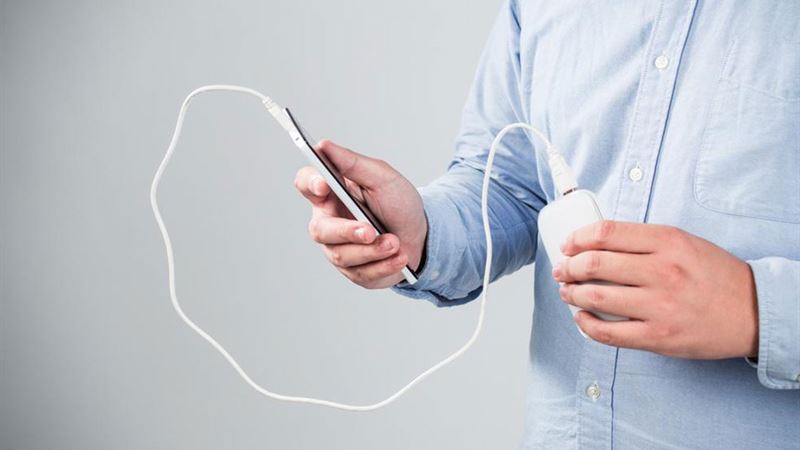
For individuals who find themselves glued to their screens for hours—browsing, gaming, streaming videos, or engaging with social media—the battery drain accelerates rapidly. Continuous multimedia consumption is one of the top reasons smartphones lose power quickly. To avoid the frustration of sudden shutdowns, investing in a high-capacity portable charger or power bank is highly recommended. Today’s power banks come with capacities ranging from 2500mAh to 20,000mAh or more, providing multiple charges for your device on the go. Select a power bank that suits your consumption needs and ensure it’s always handy in your bag or pocket.
Managing your apps effectively also plays a vital role in extending battery life. Apps running in the background can continue to consume power even when you’re not actively using them. Regularly closing unnecessary applications, disabling app refresh permissions, and turning off background data can make a significant difference. Many devices now offer battery optimization settings that automatically restrict background activity for certain apps. Remember to periodically review your installed apps and uninstall or disable those that are rarely used but still run in the background, unknowingly draining your battery.
Adjusting display settings is another crucial step. Bright screens tend to consume a considerable portion of your battery power. Lower the screen brightness or enable adaptive brightness to help conserve energy. Additionally, reducing screen timeout duration ensures your display turns off sooner when not in use, further saving power. Switching to dark mode or using wallpapers with darker tones on OLED screens can also lead to noticeable improvements in battery longevity.
Keeping your device’s software up to date is essential for optimal battery performance. Updates often include bug fixes and improvements that enhance efficiency, fix power-consuming issues, and improve battery management features. Regularly check for and install system updates to ensure your device benefits from the latest advancements.
Other practical tips include disabling unnecessary notifications, which often wake your device and light up the screen, thereby consuming energy. Use Wi-Fi instead of mobile data whenever possible, as Wi-Fi generally uses less power. Turning off Bluetooth and location services when not needed also helps conserve battery life. For added efficiency, enable power-saving modes available in most smartphones. These modes typically limit background activity, reduce screen brightness, and disable non-essential features, enabling your device to last longer on a single charge.
Furthermore, consider monitoring your battery health regularly. Most smartphones have built-in tools that give information about the batter’s capacity and overall health. If you notice significant degradation over time, replacing the battery may be a worthwhile investment to restore optimal performance. Proper battery maintenance, like avoiding extreme temperatures and not overcharging, can also extend your device’s battery lifespan.
In conclusion, extending your smartphone’s battery life involves a combination of smart usage habits and leveraging available technology. Whether it’s activating airplane mode in low-signal areas, managing app background activity, adjusting display settings, or carrying portable chargers, each step contributes toward longer-lasting power. By adopting these practical strategies, you can maximize your device’s battery performance, ensuring it remains reliable and ready whenever you need it most.