
Effective Strategies to Maximize Your Smartphone Battery Life
Discover comprehensive strategies to prolong your smartphone’s battery life with practical tips. Learn how to optimize screen settings, use power-saving modes, manage connectivity, limit background processes, and maintain your device for longer-lasting power. Implement these expert-approved methods to ensure your phone stays active longer between charges, enhancing your user experience and device longevity.
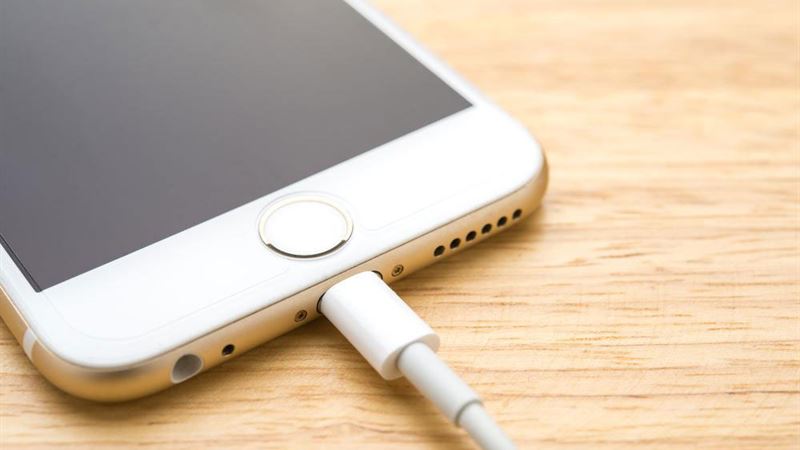
Maintaining a long-lasting battery is one of the key concerns for smartphone users today. While it's impossible to eliminate all battery drain, employing specific techniques can significantly extend your device's operational time. Whether you want to use your phone longer between charges or improve its overall battery health over time, these proven strategies can help you get the most out of your device.
Understanding how to optimize your smartphone's battery is essential. This involves managing various components and settings that consume power, such as the display, connectivity options, background applications, and hardware features. In this comprehensive guide, we'll explore all the effective ways to enhance battery performance and ensure your device remains functional throughout the day.
- Display Management
The display is one of the most power-hungry elements of any smartphone. Bright screens with vivid colors and high resolutions look stunning but can rapidly deplete your battery. Reducing screen brightness and managing display settings is one of the most straightforward methods to save power.
Most modern smartphones incorporate an auto-brightness feature that intelligently adjusts the screen brightness based on ambient lighting conditions. While this feature is convenient, manually setting the brightness to a comfortable yet lower level can conserve additional energy, especially in well-lit environments.
Moreover, controlling the screen timeout duration can make a substantial difference. Many devices come with auto-lock settings that determine how quickly the screen turns off after inactivity. Setting a shorter timeout period, such as 30 seconds to 1 minute, ensures that the display isn't wasting power when you're not actively using the phone.
- Utilize Power-Saving Modes
Nearly all smartphones offer power-saving modes—sometimes called battery saver or low-power mode—that limit background activity, reduce performance, and dim the display to extend battery life. Activating these modes when your battery is running low or when you're expecting long periods without charging can effectively stretch your device's operational time.
Some phones allow customization, enabling you to select which features to disable and which to keep active. Utilizing these modes is especially beneficial during travel or emergencies when charging options are limited.
- Optimize Connectivity Features
Wireless connectivity options like Wi-Fi, Bluetooth, GPS, and mobile data are essential but also power-consuming. Turning off these features when not in use can lead to significant battery savings.
For instance, disconnect from Wi-Fi networks when you step out of range or don't need internet access temporarily. Similarly, disable Bluetooth unless you're using a hands-free device or want to connect to peripherals. When navigating or tracking location, disable GPS if the specific app doesn't require it; in many cases, apps automatically access location services in the background, draining your battery without your awareness.
Switching to airplane mode in areas with no network can also prevent your device from constantly searching for signals, thereby conserving power.
- Limit Background Applications and Notifications
Many applications continue running in the background, updating data, sending notifications, or syncing content, which all consume power without you realizing it. Regularly review and close apps that are not in use or disable background activity for certain apps via your device settings.
Additionally, turn off auto-updates for apps, as they often download data and consume resources when connected to Wi-Fi or mobile networks. Managing notifications can also help reduce unnecessary wake-ups and screen activations, further conserving battery life.
- Reduce Use of Power-Intensive Hardware
Camera, high-performance processors, and vibrating notifications can drain your battery quickly. Use camera functions sparingly and consider lowering video quality or resolution if recording videos. Adjusting the processor performance mode to a lower setting, where available, can also help save power.
Disable haptic feedback (vibrations) unless necessary, as it requires additional energy. Keeping hardware features like NFC turned off when not essential reduces power draw and prolongs battery life.
- Keep Software Updated and Maintain Battery Health
Regular software updates often include performance improvements and bug fixes that can enhance battery efficiency. Always keep your device's operating system and applications up to date to benefit from the latest optimizations.
To preserve your battery health over time, avoid letting the battery fully drain frequently or constantly keep it at 100% charge. Using reputable charging accessories and avoiding overheating during charging are also crucial for maintaining optimal battery lifespan.
In conclusion, maximizing your smartphone's battery life is achievable through a combination of smart settings, effective management of hardware features, and regular maintenance. By implementing the tips outlined above, you can enjoy longer usage without constantly searching for charging points. Remember, small adjustments can collectively make a significant difference in your device's overall battery performance.