
Key Features to Consider When Choosing a Versatile Multi-Functional Printer
Discover essential features to consider when selecting a multi-functional printer, including speed, print quality, scanning resolution, duty cycle, copying capabilities, and automatic document feeders. This comprehensive guide helps you choose a device that ensures high productivity, durability, and versatile functionality for both office and home use.
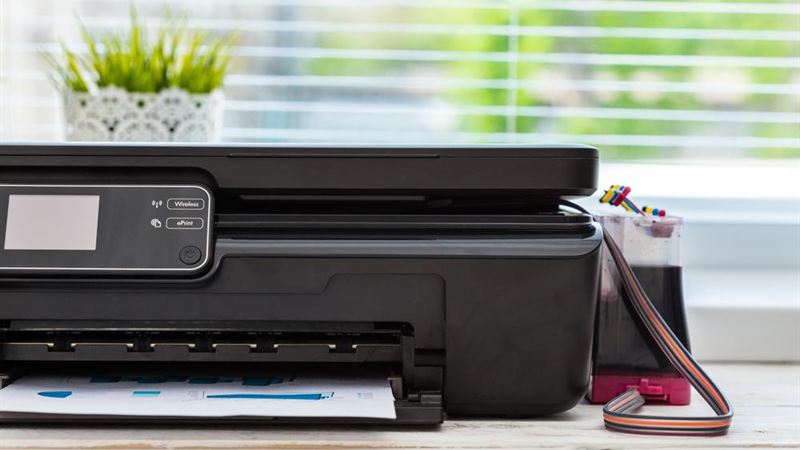
In today’s fast-paced work environments, having a reliable multi-functional printer that combines printing, scanning, copying, and faxing capabilities is vital for maintaining high productivity levels. When selecting a multifunctional device, it's crucial to evaluate several critical features to ensure it meets your specific business or personal needs. From speed and print quality to scanning capabilities and duty cycle, understanding these features can help you make an informed decision that saves time and reduces costs in the long run. This detailed guide explores all the essential features to look for in a multi-functional printer, offering insights into how these specifications impact overall performance and efficiency.
One of the primary factors to consider when choosing a multi-functional printer is its print speed. Print speed, measured in pages per minute (PPM), determines how quickly your device can produce documents. High print speeds are particularly essential for busy offices or environments with high-volume printing demands. For example, a professional office printer should ideally offer speeds of at least 30 PPM, allowing rapid document production without long waiting times. Conversely, home users or small businesses may find printers with speeds of 15-20 PPM sufficient. Remember that faster printers can greatly improve workflow efficiency, especially during peak work hours or when handling bulk printing jobs. Aside from speed, consider whether the printer maintains consistent performance during high-volume printing sessions—some models may slow down under heavy loads despite high rated speeds, so it's worth researching real-world performance reviews.
The quality of printouts plays a significant role in the overall effectiveness of your multi-functional device. Print quality is predominantly measured in dots per inch (DPI). For black-and-white documents, a minimum resolution of 2400x1200 DPI is recommended to produce sharp text and detailed images. High-resolution printers provide superior clarity and are suitable for professional documents like reports, presentations, or graphical content. When it comes to color printing, resolutions of 1200x1200 DPI or higher, such as 4800x2400 DPI, deliver vibrant and highly detailed images, essential for marketing materials, photographs, or detailed graphics. Always assess your specific needs; high-resolution printers tend to be more expensive but are necessary for high-quality visual outputs. Balancing print quality with speed and cost is key for choosing an optimal device.
The duty cycle indicates the maximum number of pages a printer can produce within a month without risking damage or excessive wear. For office environments with substantial printing needs, selecting a printer with an elevated duty cycle—often exceeding 25,000 pages per month—is advisable. This ensures durability and longevity, reducing the likelihood of breakdowns due to overuse. For smaller or home offices, a duty cycle of about 5,000 pages per month is sufficient. Always choose a printer with a duty cycle slightly higher than your typical workload to accommodate unexpected print jobs and prevent stress on the device, thereby extending its lifespan and minimizing maintenance costs.
An often-overlooked feature is the scanner's quality, which is critical for digitizing documents or graphics. Scanner resolution, measured in DPI, determines how detailed and sharp scanned images will appear. For general document scanning, a minimum resolution of 1200x600 DPI is adequate, ensuring clear legible digital copies suitable for archiving or sharing. However, for professional graphic work or archival purposes, opt for a resolution of 4800x4800 DPI or higher, providing excellent detail and clarity. Additionally, consider the type of scanner element used—charged coupled device (CCD) scanners are known for superior image accuracy, especially for complex graphics, whereas contact image sensors (CIS) excel at producing clearer, brighter scans with lower power consumption. Understanding these differences helps in choosing a device aligned with your scanning needs.
The copier function in multi-purpose printers is indispensable for quick reproduction of hard copies. Key features to consider include copy speed, which ideally should be around 25 pages per minute; this ensures rapid duplication, especially in busy office settings. The copier's ability to resize images—enlarging or shrinking—adds versatility, making it suitable for various tasks. Automation features like automatic document feeders (ADF) streamline the copying process by allowing multiple sheets to be copied or scanned simultaneously without manual intervention. The capacity of the ADF tray, its speed, and whether it supports duplex (double-sided) copying are additional factors worth evaluating. Overall, a robust copier function improves workflow efficiency by reducing turnaround times for repetitive tasks.
An advanced feature common in high-end models is the automatic document feeder, which significantly boosts productivity. Instead of manually placing each sheet on the scanner or copying bed, the ADF allows you to load multiple pages at once, enabling automatic processing of large documents. This feature is particularly useful for environments handling large volumes of paperwork, such as legal offices, financial institutions, or busy administrative departments. Some models support duplex ADFs, allowing double-sided scanning and copying without flipping pages manually, thereby saving time and effort. Additionally, high-capacity trays mean less frequent refilling, which further optimizes workflows. Devices with efficient ADFs help in streamlining document management processes, reducing manual labor, and improving turnaround times.