
Comprehensive Guide to Organizing and Managing Medical Records Effectively
A detailed guide on how to efficiently organize and manage medical records for individuals and families. Learn practical steps including creating directories, categorizing documents, digital storage options, labeling systems, and working with healthcare providers. This comprehensive approach ensures quick access, improved safety, and better health management, simplifying medical visits and emergencies while maintaining data security and privacy.
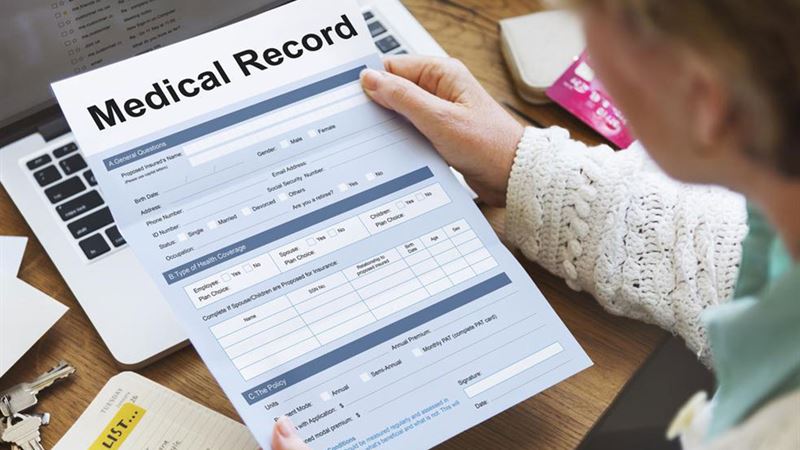
Maintaining organized medical records is essential for ensuring quick access to vital health information when needed. Whether managing your own health history or that of your entire family, establishing an efficient system can save time, reduce stress, and ensure comprehensive medical care. This detailed guide will walk you through step-by-step procedures to organize and manage medical records systematically, offering practical tips and innovative approaches to keep your health data accurate, accessible, and secure.
Creating a detailed and well-structured medical record system is fundamental for effective health management. It allows you to track ongoing conditions, medication schedules, past illnesses, vaccinations, and other crucial health details with ease. Proper organization not only simplifies doctor visits but also plays a significant role during emergencies or when seeking second opinions. The following comprehensive strategies aim to help you establish an organized, secure, and user-friendly medical record keeping system tailored to your needs.
Develop a Centralized Directory
The first step toward effective record management is setting up a centralized directory. This acts as the foundation of your system, providing a clear map to find each family member’s health data swiftly. Invest in a sturdy binder, digital folder, or specialized organizational software that allows for easy categorization. Label the main sections with family member names and assign individual folders or digital subfolders accordingly.
By creating a dedicated directory, you can streamline record retrieval, prevent misplaced documents, and ensure that all relevant data is stored in one accessible location. This reduces the frustration of searching through endless paperwork and facilitates quick access during medical emergencies or routine check-ups. Regularly update this directory to include new medical visits, prescriptions, or health updates.
Segment and Categorize Records
Segregating your medical documents into specific categories enhances clarity and efficiency. Common categories include:
- Chronic conditions such as diabetes, hypertension, or asthma
- Acute illnesses like infections, injuries, or surgeries
- Vaccination records for children and adults
- Allergy information, including seasonal and food allergies
- Medication lists, including dosages and duration
- Laboratory results and diagnostic reports
- Specialist notes and referrals
Label each category clearly and maintain a consistent system for naming and ordering. This allows you to locate specific reports quickly. For instance, if your child needs a vaccination certificate, you can find the document within the designated vaccination folder without sifting through unrelated papers.
This method of categorization helps keep your records orderly, improves accuracy, and enhances your ability to monitor health trends over time. It also simplifies communication with healthcare providers, as they can easily review organized documents.
Implement Effective Labeling and Indexing
For maximum efficiency, adopt a consistent labeling system. Use color-coded labels, tags, or tabs to differentiate categories quickly. For example, red for emergencies, blue for vaccinations, yellow for medications, etc. Keep an index or legend that explains the color schemes and labeling conventions to prevent confusion.
Maintaining a detailed index document—either digitally or in print—can help you quickly locate files based on categories, dates, or specific health events. Regularly review and update this index to reflect new documents added or categories modified, ensuring seamless navigation.
Transition to a Digital Record-Keeping System
Advancements in technology offer modern alternatives to traditional paper-based records, making digital management increasingly popular. Consider converting your medical files into secure electronic documents. These can be stored on your personal computer, external storage drives, or cloud-based platforms that support encryption and secure sharing.
Digital records have numerous advantages: they occupy less physical space, are easily searchable, and can be backed up regularly to prevent data loss. Cloud services such as Google Drive, Dropbox, or specialized health record management platforms enable you to access and share health data with trusted healthcare providers effortlessly.
Even with a digital system, keep essential hard copies at home. Physical copies are vital in case of technical failures or internet outages, ensuring that critical health information remains accessible at all times.
Remember to prioritize data security by encrypting sensitive files and setting up strong passwords to protect your privacy.
Coordinate With Healthcare Professionals
Effective organization involves ongoing collaboration with your medical team. Consult your healthcare providers to discuss the preferred format and priority order for your records. They can guide you on what documents are most critical and how best to present them during appointments.
Maintaining an updated record system facilitates smoother communication, accurate diagnosis, and efficient treatment planning. Share your digital files securely with doctors when necessary and keep physical copies handy for urgent needs.
Regular check-ins with healthcare providers about your record-keeping practices can help you stay current and ensure your system evolves with your healthcare needs.
Additional Tips for Maintaining Organized Medical Records
- Schedule routine updates—set reminders every few months to review and add new information.
- Keep all receipts and prescriptions—these can serve as proof of treatment and medication history.
- Secure your records—use passwords and encryption for digital files, and keep physical copies in a safe place.
- Share access—consider granting trusted family members or caregivers access to your digital records for emergencies or support.
- Review privacy policies—ensure your data-sharing practices comply with local regulations.
By following these comprehensive strategies, you can create a well-organized, secure, and easily accessible medical record system that serves your family’s health needs now and in the future.