
Comprehensive Guide to Mastering Your Cricut Cutting Machine
Learn how to operate your Cricut machine with our comprehensive, step-by-step guide. From startup to perfect cuts, discover tips and techniques to boost your crafting skills, whether you're making personalized decorations or intricate designs. This detailed tutorial covers all essential steps to master your Cricut for flawless results every time, making your creative projects easier and more professional-looking. Perfect for beginners and experienced crafters alike, elevate your DIY game with our expert advice and detailed instructions.
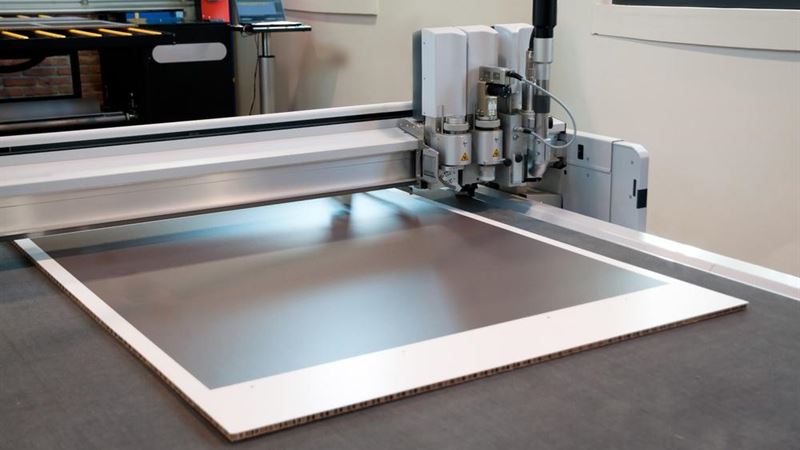
Unlock your creative potential with Cricut, a versatile cutting device capable of working with a wide range of materials including paper, fabric, felt, and more. Aside from vinyl and fondant, Cricut has gained popularity for its precision and ease of use, making it a top choice among crafters, DIY enthusiasts, and small business owners. Whether you're making personalized crafts, decorative home items, or custom apparel, understanding how to operate your Cricut machine effectively is essential for achieving professional-quality results.
How to Operate Your Cricut Machine: An In-Depth Tutorial
Embarking on your Cricut crafting journey requires familiarity with its features and setup processes. The good news is, with a little guidance, you’ll be crafting intricate designs and cutting precision shapes in no time. To get started, gather the necessary tools and materials, and follow these detailed steps to make the most out of your Cricut experience.
Step-by-step process to operate your Cricut machine
- Step 1: Installing and Setting Up the Cartridge or Digital Design
Start by inserting your Cricut cartridge into the designated slot. If you are using digital designs, download and upload them through Cricut Design Space, the software that controls your device. Once the cartridge or design is in place, attach the keyboard overlay (which is included with cartridges) to help navigate your design options. Position it squarely on the face of the machine for easy visibility and access. Proper installation ensures seamless communication between your device and the design software, leading to accurate cuts.
- Step 2: Powering On and Preparing Your Work Surface
Connect your Cricut machine to a power source and switch it on. Place your device on a flat, stable surface, free from vibrations or unevenness that might cause misalignments during cutting. Confirm that your workspace is clean and organized, with adequate lighting to monitor your machine’s operation. Proper positioning and a steady environment are key for maintaining precision during your crafting process.
- Step 3: Loading Material onto the Cutting Mat
Select the material you intend to cut — whether it’s cardstock, adhesive vinyl, fabric, or specialty materials. Lay your material flat on the cutting mat, ensuring it adheres securely without bubbles or folds. Use the grid lines on the mat for alignment, and press down gently to establish a firm bond. Carefully load the mat into your Cricut machine’s feeder, aligning it with the guides. Then, press the “Load” button to secure the material in place. This step is crucial for accurate cutting, especially for intricate designs or multiple pieces.
- Step 4: Choosing Design and Setting Cut Parameters
Open Cricut Design Space on your computer or mobile device. Browse through existing designs or import your custom creations. Select the desired pattern or shape, then specify the size and other parameters such as material thickness and cut style. You can opt to cut a single design or multiple designs simultaneously, depending on your project requirements. Proper setting adjustments are vital to ensure clean cuts and prevent material wastage.
- Step 5: Initiating the Cutting Process
Confirm your design selections and settings, then press the “Cut” button. Your Cricut machine will calibrate the blade and begin the cutting process. During this time, avoid disturbing the machine to ensure precision. Watching the machine work can be quite satisfying as your design begins to take shape. For complex or layered designs, patience is required to allow the machine to perform each cut accurately.
- Step 6: Unloading and Inspecting the Cut Material
Once the cutting is complete, press the “Unload” button to release the mat from the device. Carefully lift the mat and examine your design. For detailed or delicate cuts, use a craft knife or weeding tools to remove excess material without damaging your design. If the cut does not meet expectations—due to dull blades or incorrect settings—recalibrate your blade depth and rerun the cut to improve accuracy.
- Step 7: Final Finishing and Removal of Design
Gently peel the cut design from the mat. For intricate details, employ a craft knife or tweezers to aid removal and prevent tearing. Depending on the project, you might need to apply transfer tape for vinyl or sew fabric pieces together. Thorough finishing touches will give your craft a professional appearance, elevating your project from simple to stunning. Clean your tools and prepare for your next crafting session.