
Comprehensive Guide to Computer Peripherals and Accessories
Explore the comprehensive world of computer peripherals and accessories, including input and output devices, monitor protection, and essential gadgets. Understand their functions, benefits, and selection tips to optimize your computing experience and ensure system longevity. This guide covers everything from keyboards, monitors, and protective covers to the difference between accessories and peripherals, helping both casual and professional users enhance their setup for better performance and health benefits.
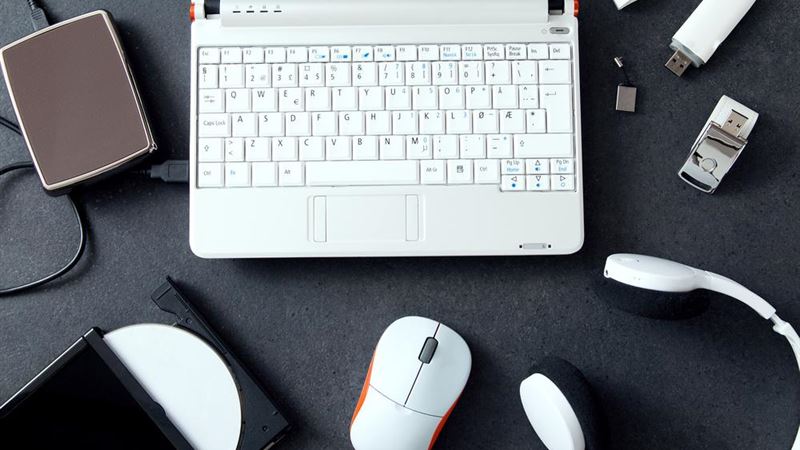
If you're looking to optimize your computing experience, understanding the different types of computer peripherals and accessories is essential. From essential input and output devices to protective covers for your monitors, this guide aims to give a detailed overview of each component, their functions, and how they enhance your productivity and comfort. Whether you're a casual user or a professional, knowing what peripherals and accessories fit your needs can make a significant difference in performance and health.
Computers are complex systems that rely heavily on various devices to function efficiently. These devices can be broadly classified into input devices, output devices, and accessories that complement the main hardware. Understanding their roles, how they work, and their importance can guide you in selecting the right tools for your setup.
Understanding Input Devices
Input devices are peripherals that allow users to communicate with their computers by entering data or commands. They act as the primary interface between the user and the machine. Common input devices include keyboards, mice, microphones, scanners, joysticks, and more. Each device has specific functions and technological designs tailored to different tasks, from simple data entry to complex gaming controls.
The Functionality of Keyboards
The keyboard is arguably the most used input device, playing a vital role in data entry. It consists of a set of keys arranged in a specific layout—most commonly the QWERTY style—modeled after traditional typewriters. Modern keyboards come equipped with functionalities like multimedia keys, programmable buttons, and ergonomic designs to enhance user comfort and efficiency.
Keyboards communicate with the computer through specific protocols—typically USB or Bluetooth—depending on whether they are wired or wireless. The internal processing of keystrokes involves translating physical key presses into digital signals that the operating system can interpret, enabling functions like typing, shortcuts, and commands.
Leading brands in the keyboard market include Logitech with their Wireless Wave Combo, AmazonBasics offering budget-friendly options, Apple with their sleek Wireless Keyboard, Microsoft’s ergonomic designs, and HP’s reliable wired models. The choice depends on user preference, specific needs, and budget considerations.
Monitors and Display Technologies
Monitors serve as the primary output devices, displaying visual data processed by the computer. They utilize various technologies to produce high-quality images, including traditional cathode ray tube (CRT) displays and more modern thin-film transistor liquid crystal displays (TFT LCDs). CRT monitors, once the standard, are now largely replaced by LCD screens owing to their superior image clarity, thinner design, and lower power consumption.
The display quality depends heavily on pixels, which are tiny dots that form images on the screen. Pixels are typically composed of red, green, and blue subpixels whose varying intensities create a broad spectrum of colors. High-definition monitors with advanced color accuracy and refresh rates are essential for gaming, graphic design, and professional work.
Popular monitor brands include Verbatim with their Slimline Keyboard, VicTsing’s compact wireless touchpads, Azio’s retro-mechanical keyboards, Macally’s slim USB options, HyperX’s RGB gaming keyboards, and Logitech’s G613 Lightspeed wireless models. Selecting a monitor depends on the intended use—whether for gaming, professional editing, or general use.
Computer Accessories and Peripherals: Definitions and Differences
There's often confusion between accessories and peripherals, but understanding their distinct roles helps in making informed purchase decisions. Peripherals are essential components that enable a computer to operate correctly; without them, the system cannot perform basic tasks. Accessories, on the other hand, are optional enhancements that improve aesthetics, comfort, or user experience but are not critical for functionality.
For example, a monitor cover is classified as an accessory because it enhances the external protection and appearance of the display. Meanwhile, a mouse or keyboard is a peripheral because it’s necessary for interaction and operation of the computer.
Various Types of Monitor Covers and Their Benefits
Monitor covers are crucial accessories that offer protection against environmental damage, particularly for those working outdoors or in dusty environments. They safeguard screens from dust, water, UV rays, fingerprints, and scratches, thereby extending the lifespan of your device and maintaining display quality.
Some of the most recommended monitor covers include the Hermitshell Dust and Water Resistant Cover, constructed from velvet and polyester fiber, which shields against UV rays, dust, and dirt. The Amerzam Black Dust Screen Cover is a practical, easy-to-use option that quickly slips over your monitor, protecting against fingerprints, scratches, and oil while being simple to clean and store. For those seeking full protection, dust and water-resistant covers made from antistatic, moisture-resistant copolymer materials are highly effective—they also resist cold and can be stored anywhere without concern.
Investing in a quality monitor cover not only prolongs your device’s life but also ensures a clearer, healthier display. This is particularly important as prolonged exposure to bright screens can strain eyesight, leading to long-term health issues. Transitioning from CRT to LCD monitors is also recommended, as LCDs offer improved display quality, better eye comfort, and reduced health risks.
In conclusion, the world of computer peripherals and accessories is vast and continually evolving. Selecting the right devices and protective gear based on your specific needs can enhance your productivity, safeguard your equipment, and promote better health. Whether it's a high-performance monitor cover, an ergonomic keyboard, or a versatile input device, understanding their importance ensures you get the most out of your computer system.