
Comprehensive Guide to Computer Accessories and Peripherals: Essential Insights for Optimal Setup
Explore a comprehensive guide to computer accessories and peripherals, covering essential products like high-quality headphones, wireless mice, HD monitors, graphics cards, USB gadgets, and monitor accessories. Learn how these tools can enhance your productivity, gaming, and overall computer experience through detailed insights and expert recommendations, ensuring you select the best equipment for your needs. Transform your setup for maximum efficiency and enjoyment with our expert tips and in-depth reviews.
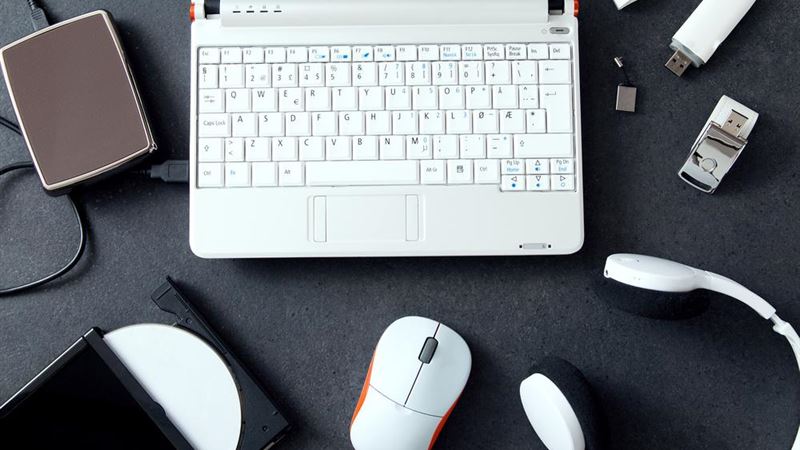
**Elevating Your Work and Play with Quality Headsets and Audio Devices**
One of the most overlooked yet vital accessories is a good pair of headphones or earphones. High-quality audio devices can significantly improve your experience whether you’re working remotely, enjoying media entertainment, or playing competitive online games. Noise-canceling headphones, for instance, help block out distractions, allowing you to focus entirely on your tasks or gaming sessions.
Modern headphones boast advanced features such as active noise cancellation, high-fidelity sound, Bluetooth connectivity, and comfortable ergonomic designs. Investing in a durable, comfortable pair can boost your productivity and make your leisure time more pleasurable. When choosing headphones, consider sound clarity, battery life, compatibility with your devices, and comfort level.
**Cutting-Edge Mouse Technologies for Precision and Convenience**
The traditional wired mouse is gradually being replaced by wireless options that reduce desk clutter and enhance mobility. Wireless mice utilize optical sensors for accurate tracking, eliminating the need for cumbersome cords. They're especially popular among gamers, designers, and professionals who require precision and flexibility.
Opt for a wireless mouse with features like adjustable DPI settings for sensitivity control, programmable buttons for shortcuts, and long-lasting batteries. Ergonomics also matter; select a design that fits your hand comfortably to prevent fatigue during extended use. The latest models integrate Bluetooth or 2.4 GHz wireless technologies, ensuring stable connections for seamless operation.
**High-Definition Displays: The Standard for Visual Clarity**
In the realm of monitors, resolution plays a pivotal role in your computing experience. While older models might offer resolutions like 720p, current standards lean heavily towards full HD (1080p) and beyond. Today’s consumer demand for high-definition displays has made 1080p displays more affordable and accessible, transforming them into a basic necessity rather than a luxury.
For gamers, content creators, and professionals, investing in a monitor with at least 1080p resolution ensures crisp visuals and better detail recognition. Higher resolutions such as 1440p or 4K provide even more clarity, catering to users who need ultra-high definition for intensive tasks. When selecting a monitor, consider refresh rates, response times, color accuracy, and ergonomic features for an optimal viewing experience.
**Must-Have Computer Accessories Post-Purchase**
After acquiring a computer, the next step involves customizing your setup with essential accessories that enhance functionality, protect your investment, and improve overall user experience. Comparing options online before purchase helps you choose the best quality products within your budget.
**Graphics Cards: Visual Powerhouses**
A high-performance graphics card is indispensable for gamers, video editors, and 3D designers. It determines the quality and smoothness of visual output. Leading brands such as ASUS and EVGA offer models that combine reliability with impressive gaming capabilities.
- ASUS GeForce GTX Series
- Designed to handle the demands of modern gaming at 1080p resolution, the ASUS GeForce GTX graphics cards feature advanced auto-extreme technology, ensuring durability and consistent performance. With a high memory speed of 1455 MHz and a robust coprocessor, these cards deliver unbeatable graphics and smooth gameplay for both casual and professional gamers.
- EVGA GeForce 210
- This model comes equipped with 1GB DDR3 SDRAM and a 520 MHz clock speed, making it suitable for less demanding tasks and high-resolution displays up to 2560x1600. It’s an affordable yet capable option for users looking to upgrade their graphics output without breaking the bank.
**USB Gadgets: Enhancing Connectivity and Security**
USB gadgets are versatile tools that improve your device’s security, functionality, and convenience. With the proliferation of digital accounts and data, security devices like USB security keys have become a crucial part of modern computing.
- FIDO U2F Security Key
- This compact device allows users to set up two-factor authentication for various online services such as Google, Dropbox, and Dashlane. Simply plugging in the security key enhances data protection by adding an extra layer of security against unauthorized access, making it a must-have for privacy-conscious users.
- Raniaco USB Rechargeable Light
- Featuring a 1000mAh battery, this portable light can be connected to PCs, notebooks, cars, or mobile adapters. Its touch sensor-controlled brightness levels allow users to customize illumination, offering durations of up to 12 hours in medium mode and 6 hours at maximum brightness. Ideal for workspaces, camping, or emergencies.
**Monitor Accessories for an Enhanced Visual Workspace**
Complement your monitor with accessories designed to optimize ergonomics, cool down your system, and augment display capabilities.
- HUANUO Monitor Stand Riser
- Constructed from durable 14-inch stainless steel, this stand riser elevates your monitor or printer to eye level, reducing neck strain. Its design promotes better airflow, keeping your equipment cool and minimizing overheating risks. Its sturdy build ensures long-lasting support for various devices, helping you create a clutter-free and ergonomic workspace.
- CompuLab Display Emulator
- This device supports 1080p resolution and is compatible with multiple systems, including PCs and Macs. It functions as a virtual display driver, enabling you to emulate display environments with no software installation required. Operating without external power sources, it simplifies setup for HDMI systems, making it perfect for testing or extending displays in professional environments.
In conclusion, selecting the right computer accessories and peripherals can elevate your digital experience—whether for work, entertainment, or creative pursuits. By understanding the latest technological advancements and carefully choosing quality products, you can create a highly efficient, comfortable, and enjoyable computing environment.